Untangling the Inbox & Meeting Maze: AI for Smarter Communication, Not Just Faster Noise
Introduction
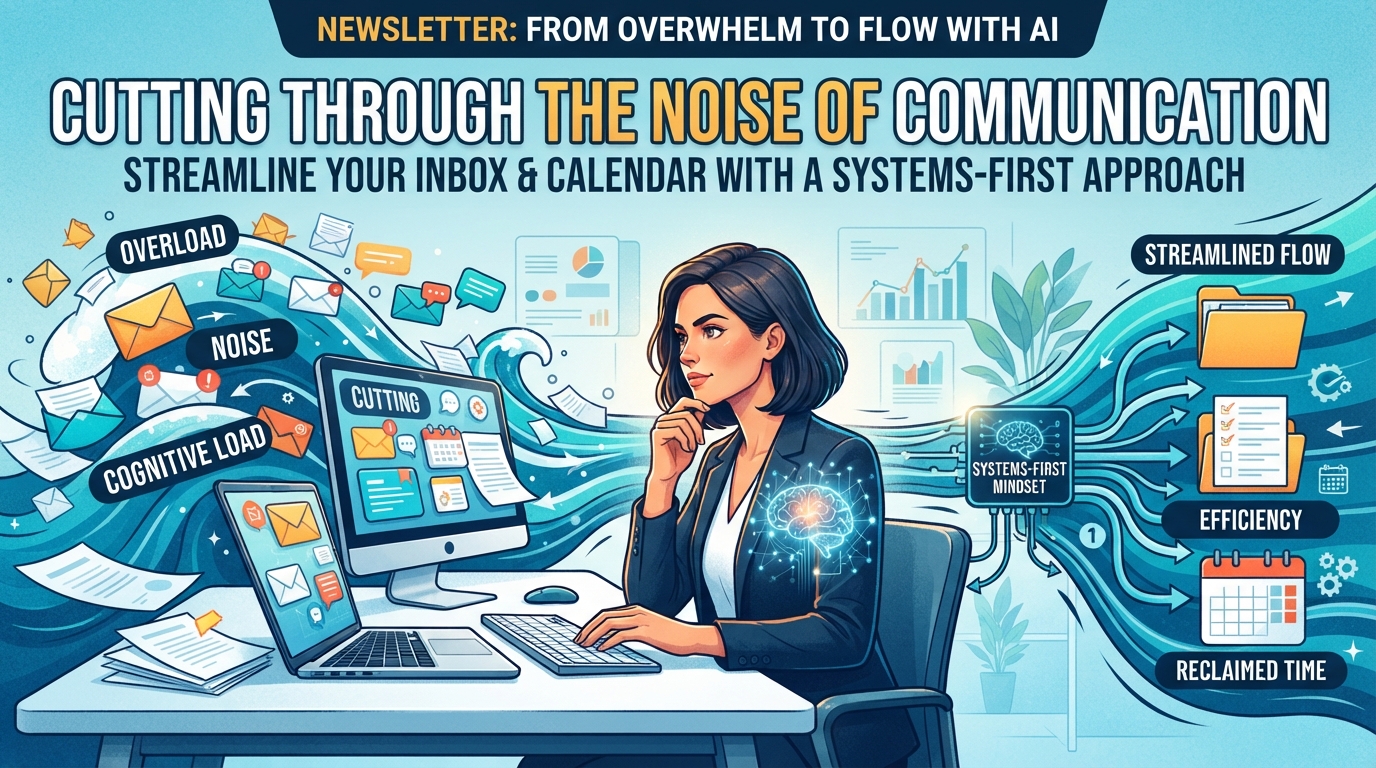
Every small business owner, solopreneur, and operations manager I've worked with faces the same relentless tide: communication. Emails pile up, meetings run long, and the sheer volume can feel overwhelming. It's not just about the words; it's about the cognitive load, the time lost, and the constant context switching that wears you down. We've all got deeply ingrained habits around how we handle our inboxes and calendars – patterns we've built over years that, while familiar, might be silently draining our productivity.
Introducing new technology like AI into these established routines can feel like trying to change the course of a river. It's hard, it feels unnatural at first, and it's easy to fall back into the old, comfortable ways. That's normal, and it's expected. My goal isn't to tell you to abandon everything you know, but to show you how, with a systems-first mindset, you can leverage simple, low-cost AI tools to cut through the noise, streamline your communication, and reclaim valuable time. But remember, you can't automate a mess; you can only amplify it. Let's make sure your systems are ready.
Readiness Check
How clearly are your team's current email handling, meeting protocols, and internal communication workflows documented?
Option A (Not ready): Mostly tribal knowledge, no formal documentation.
Option B (Ready for Literacy): Some informal notes, but no structured process maps.
Option C (Ready for Integration): Clear, documented processes for most communication types and channels.
Solutions by Implementation Level
1. AI Email Assistants: Crafting Clearer Messages, Faster
Level: AI Literacy
Think of AI email assistants not as replacements for your brain, but as a smart co-pilot. Their job is to help you draft, refine, and polish emails quickly, ensuring clarity, conciseness, and the right tone. This frees up your mental energy from repetitive email tasks, allowing you to focus on strategic thinking. The systems perspective here is about standardizing communication quality and reducing the time spent on low-value drafting, making your overall communication flow more efficient and consistent.
Implementation Details:
Timeline: 30 minutes to 2 hours (to try a few tools and find your preference)
Cost: Free to $20/month (for premium features or integrated suites)
ROI: Saves 30 minutes to 2 hours per day on email drafting/editing for key personnel = $300-$1000/month savings (assuming $60/hr average cost)
Failure Rate: 10% (if not used consistently or prompts aren't clear, results can be generic)
Action Steps:
Identify your top 3 most common email types (e.g., sales outreach, customer support replies, internal updates).
Choose 2-3 free AI email writers from the list below and try drafting emails for your identified types.
Experiment with different prompts (e.g., 'Write a concise email to a client requesting project updates, tone: professional but friendly').
Evaluate which tool provides the most consistent and useful output for your needs.
Recommended Tools:
Quillbot AI Email Writer - Free
Mailmeteor AI Email Writer - Free
Claude (by Anthropic) - Free to $20/month for Pro
Grammarly - Free to $12/month for Premium
Protective Warning: Don't blindly copy-paste. Always review AI-generated content for accuracy, tone, and brand voice. It's a drafting assistant, not a ghostwriter. Without proper review, you risk sending inaccurate or off-brand messages, which can damage relationships and credibility.
2. AI Meeting Summarizers: Capturing Insights, Not Just Transcripts
Level: AI Literacy
Meetings are often where critical decisions are made and action items are assigned, but manual note-taking is prone to error and distraction. AI meeting summarizers automatically transcribe, identify key discussion points, and even suggest action items. This shifts your team's focus from frantic note-taking to active participation, ensuring nothing important is missed and follow-up is clearer. From a systems perspective, this standardizes meeting output, reduces post-meeting administrative work, and creates a searchable record of discussions, making your knowledge base richer and more accessible.
Implementation Details:
Timeline: 1-3 hours (setup and initial trial on a few meetings)
Cost: Free to $30/user/month (for advanced features/teams)
ROI: Saves 1-2 hours per meeting in note-taking and summary drafting, plus improved follow-through = $200-$500/month for a team with several meetings/week
Failure Rate: 15% (can struggle with heavy accents, technical jargon, or multiple speakers without clear audio)
Action Steps:
Document your current meeting note-taking process. Who takes notes? How are they shared? How are action items tracked?
Select an AI meeting summarizer tool and integrate it with your preferred meeting platform (Zoom, Google Meet, Teams).
Run it during your next 2-3 internal meetings.
Compare the AI-generated summary and action items with your traditional notes. Identify gaps and opportunities for improvement.
Train your team on how to use it effectively and review outputs.
Recommended Tools:
Otter.ai - Free to $20/user/month
Read AI - Free to $29/user/month
Notion AI Meeting Notes - Free (with Notion account) to $10/month for AI add-on
Protective Warning: Ensure all meeting participants are aware that an AI is recording and transcribing. Check local regulations and company policies on recording consent. Relying solely on AI without human review can lead to misinterpretations or missed nuances, especially in complex or sensitive discussions.
3. Connecting Communication Dots: Automating Follow-Ups & Knowledge Capture
Level: Integration
Once you're comfortable with individual AI literacy tools, the next step is to connect them to your existing operational systems. This means taking the output from an AI email assistant or meeting summarizer and automatically pushing it into your CRM, project management tool, or internal knowledge base. The systems gain here is immense: you're reducing manual data entry, ensuring consistent information flow, and building a richer, more accessible repository of critical business data. This isn't just about saving time; it's about making your communication actionable and your organizational memory robust.
Implementation Details:
Timeline: 1-3 weeks (requires process mapping, integration setup, and testing)
Cost: $25-$100/month (for integration platform subscriptions, plus existing tool costs)
ROI: Saves 5-10 hours/week in data entry, task creation, and information retrieval across teams = $1200-$2400/month for a small team
Failure Rate: 30% (complex integrations often require troubleshooting, clear process definition, and sometimes developer assistance)
Action Steps:
Document the 'As-Is' Process: Map out exactly what happens after an important email is sent or a meeting concludes. Where does the information go? Who does what?
Identify Integration Points: Pinpoint specific data points from your AI tools (e.g., action items from Otter.ai, key decisions from Read AI, customer responses drafted by Claude) that need to be moved to another system (e.g., Asana, Salesforce, Notion).
Choose an Integration Platform: Select a low-code/no-code platform like Zapier or Make.
Build and Test Your Automation: Create simple 'zaps' or 'scenarios' to connect your AI tool to your target system. Test thoroughly with real data.
Train and Refine: Train your team on the new automated workflow and gather feedback for continuous improvement.
Recommended Tools:
Zapier - Free to $50+/month
Make (formerly Integromat) - Free to $20+/month
Claude (for structured output) - $20/month for Pro
Protective Warning: Before you connect anything, ensure your core processes are documented and stable. Automating a broken process just makes it break faster and harder. Be mindful of data privacy and security when connecting different applications, especially with sensitive customer information. Start small, test rigorously, and scale gradually.
4. Proactive AI Communication Agents: Anticipating Needs (Future Vision)
Level: Advanced
While still largely in the realm of advanced implementation, the future of communication AI involves agents that can proactively manage aspects of your communication based on context and learned patterns. Imagine an AI that, after a meeting, not only summarizes but also drafts follow-up emails, schedules tasks in your PM tool, and even identifies potential roadblocks based on previous projects. This level of automation moves beyond simple assistance to true augmentation, where the AI anticipates needs and acts on them. This requires highly structured data, robust internal systems, and a clear understanding of decision-making protocols.
Implementation Details:
Timeline: 6-18 months (custom development or highly specialized platform integration)
Cost: $10,000 - $50,000+ (for custom development or enterprise-level solutions)
ROI: Potentially 5x+ ROI by eliminating entire categories of manual work and accelerating project timelines, but high upfront investment and risk.
Failure Rate: 50%+ (requires deep technical expertise, significant iteration, and a high tolerance for initial failures)
Action Steps:
Master the Foundations: Ensure your AI Literacy and Integration efforts are mature and stable.
Define Clear Rules & Exceptions: Precisely document the 'if this, then that' logic for any proactive actions you'd want an AI to take.
Explore Specialized Platforms: Research AI agent platforms or custom development firms that specialize in workflow automation and natural language processing.
Start with a Pilot: Identify a very contained, low-risk process to pilot an advanced agent, focusing on learning and iteration.
Iterate and Monitor: Closely monitor agent performance, provide continuous feedback, and be prepared for significant adjustments.
Recommended Tools:
Custom-built AI agents (via cloud platforms like AWS, Google Cloud, Azure) - Varies significantly
Claude Code (for agent development) - $20/month for Pro
Protective Warning: Approaching advanced AI without solid foundational systems is a recipe for disaster. You must have meticulously documented processes and clear decision-making rules. Granting an AI too much autonomy too early can lead to unintended consequences, errors, and even reputational damage. This level requires significant investment, technical expertise, and a very structured approach to risk management.
Real-World Example
Type: success
Business: A boutique marketing agency (8 employees)
Situation: The agency was drowning in internal communication. Meetings often lacked clear outcomes, follow-up emails were inconsistent, and project managers spent hours just summarizing discussions and assigning tasks, leading to delays and missed deadlines.
Approach: They started by documenting their existing meeting agenda, note-taking, and follow-up processes. They realized their biggest bottleneck was translating verbal discussions into actionable tasks. They then implemented Otter.ai for all internal meetings. After a few weeks of getting comfortable, they used Zapier to automatically pull action items identified by Otter.ai into their project management tool (Asana) and assign them to the relevant team member, with a link back to the meeting transcript for context. They also encouraged their team to use Claude to draft initial client communication, ensuring tone consistency and speed.
Result: Within three months, meeting follow-up time was reduced by 70%, project managers gained 5-7 hours per week, and the clarity of assigned tasks improved significantly. This led to a 15% reduction in project delays and a noticeable decrease in team stress. The initial investment was less than $100/month for Otter.ai and Zapier, yielding a massive return.
Lesson: Don't try to automate everything at once. Identify your biggest communication bottleneck, document the existing (even messy) process, and then apply a simple AI tool to that specific pain point. Once that's stable, look for ways to integrate it with your other systems. The small, incremental wins build confidence and momentum.
Systems Thinking Insight
The most common mistake I see isn't choosing the wrong AI tool; it's trying to adopt technology without first understanding and documenting the underlying system. Our communication habits – how we write emails, conduct meetings, share information – are deeply ingrained. They're often subconscious, a patchwork of individual preferences and historical norms. When you introduce AI into this undocumented landscape, it's like trying to build a new road on shifting sand.
That's why documentation is non-negotiable. Before you even think about an AI email writer, ask: 'What's our ideal email process? What information must every email contain?' Before a meeting summarizer, ask: 'What are the critical outputs of our meetings? How are decisions currently recorded and shared?' Without this clarity, AI can only make your existing inefficiencies faster, not better. It takes time and effort to retrain your thinking and break old patterns, but that initial investment in process clarity will pay dividends long after the novelty of a new tool wears off.
Quick Wins
1. Use Claude for Email Drafts
Instead of writing every email from scratch, use Claude to draft initial responses, outreach, or internal messages. Focus on clear prompts that specify tone, length, and key information.
Time: 15 minutes (to try it out)
Cost: Free (for basic Claude access)
Impact: Save 10-30 minutes per day on email writing, improve consistency.
2. Pilot an AI Meeting Notetaker for One Meeting Type
Choose one recurring internal meeting (e.g., weekly team sync) and use Otter.ai or Read AI to record and summarize. Don't worry about integration yet, just focus on getting a good summary.
Time: 1 hour (setup and first meeting review)
Cost: Free (for basic plans)
Impact: Reduce manual note-taking, get clearer action items, create a searchable meeting record.
Resource of the Day
Claude (by Anthropic) (Tool)
For general AI assistance, especially for writing, summarizing, and brainstorming business ideas, Claude stands out. Its conversational interface and ability to handle longer contexts make it excellent for drafting emails, refining communication, and even helping you outline meeting agendas. For coding tasks, its sibling Claude Code is excellent. It prioritizes helpfulness and safety, making it a reliable choice for business use.
Cost: Free (basic access) / $20/month (Pro)
Link: Access Resource