Hiring Smarter, Not Harder: Cultivating Your HR Systems with AI
Introduction
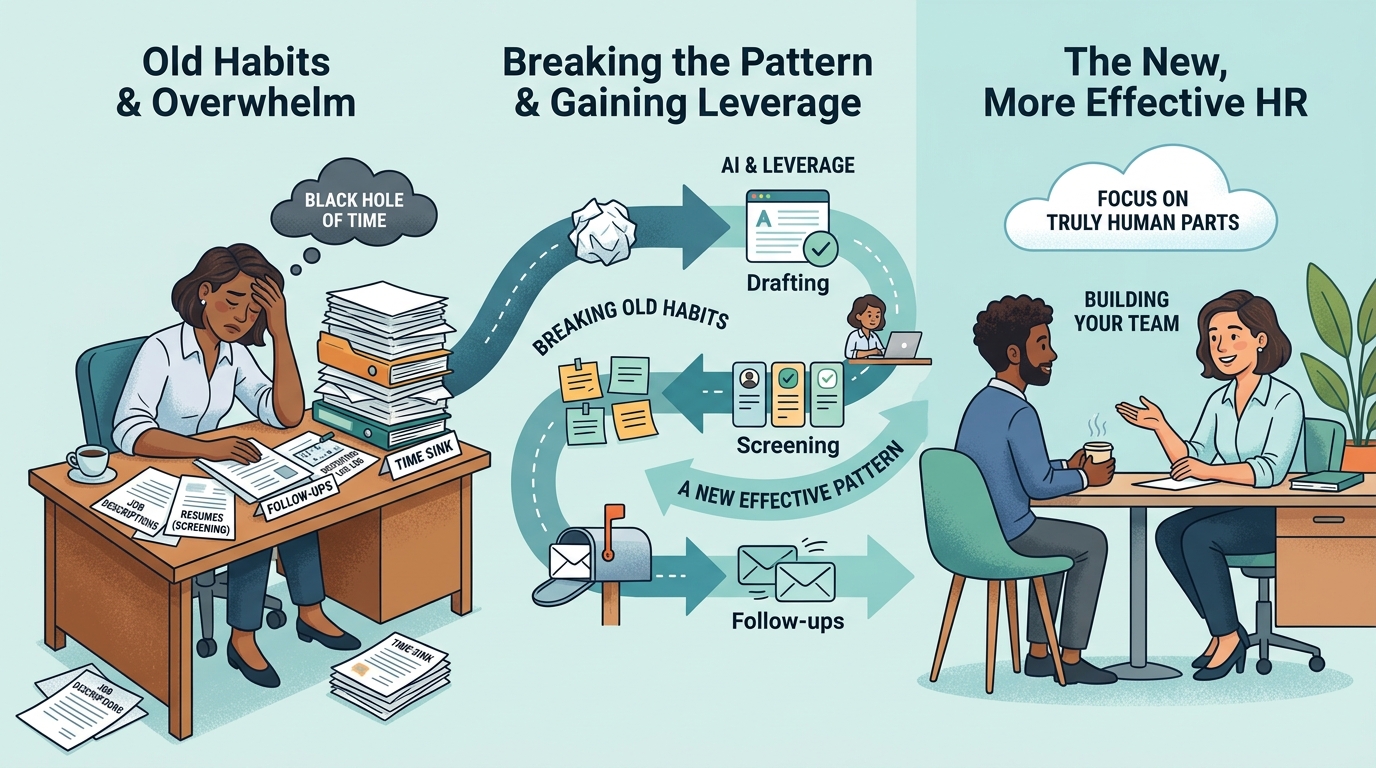
Let's be honest: for small businesses, HR and hiring can feel like a black hole of time and resources. You're juggling a dozen other priorities, and the thought of adding 'learn new AI tools' to the mix probably makes you want to curl up with a strong coffee. I get it. Your existing ways of doing things, even if they're not perfect, are deeply ingrained. They're comfortable, familiar, and require less mental energy than learning something new.
But what if we could chip away at that HR burden, systematically, without throwing the baby out with the bathwater? This isn't about replacing people; it's about giving you leverage. It's about taking those repetitive tasks – drafting job descriptions, screening initial candidates, sending follow-ups – and making them more efficient, so you can focus on the truly human parts of building your team. We'll explore how, keeping in mind that breaking old habits takes effort, and the real win isn't just a new tool, but a new, more effective pattern of work.
Readiness Check
How well-documented are your current hiring steps, from the initial need to an offer letter?
A. Mostly in my head, or scattered notes.
B. Some key steps are written down, but it's not a complete, repeatable process.
C. We have a clear, step-by-step procedure for our entire hiring lifecycle.
Solutions by Implementation Level
Level 1: Supercharge Your Job Descriptions & Screening Questions with AI
Level: AI Literacy
Before you even think about automation, let's get your foundation solid. A clear, compelling job description (JD) and well-crafted screening questions are the bedrock of good hiring. Many small businesses reuse old JDs or write them on the fly. This solution uses AI to refine your existing JDs, ensuring clarity, attracting the right talent, and then generating targeted screening questions that align directly with your documented needs. This isn't about AI writing the whole thing, but about it acting as your expert editor and brainstorming partner, helping you articulate what you really need.
Implementation Details:
Timeline: 2-4 hours for initial setup and learning, then 30-60 minutes per new role.
Cost: $20/month (Claude Pro) + your time.
ROI: Saves 2-3 hours per job description (research, drafting, refining) and reduces mis-hires by improving clarity. If hiring 4 people/year, saves 8-12 hours per year at $50/hour = $400-600. Better candidates reduce turnover costs, which can be 1.5x salary. Conservative 3x return minimum easily achievable.
Failure Rate: 10% if you don't provide good initial input or don't review AI output critically. Requires human judgment.
Action Steps:
Document your existing job description for a key role. What are the absolute must-have skills, responsibilities, and cultural fit attributes?
Open Claude.ai (Claude Pro is recommended for longer inputs and better reasoning).
Prompt Claude with: 'Here is our existing job description for [Role Name]. Please help me refine it to be clearer, more compelling, and attract candidates with [specific skills/experience]. Also, suggest 5 open-ended screening questions that would help us identify candidates strong in [specific skill 1] and [specific skill 2].'
Review Claude's suggestions. Edit, refine, and integrate them into your final documents. Remember, it's a co-pilot, not an autopilot.
Recommended Tools:
Claude (by Anthropic) - $20/month for Pro
Protective Warning: Don't let the AI dictate your entire job description or screening process. It's a tool to enhance your thinking, not replace it. Always review outputs with a critical eye for tone, accuracy, and potential bias. Garbage in, garbage out – if your initial documentation of the role is vague, AI will produce vague results.
Level 2: Streamlining Initial Candidate Communication & Follow-Ups
Level: AI Literacy
Once you've got candidates, the communication deluge begins: acknowledgments, interview requests, follow-ups, rejections. This is where AI can save significant time. Instead of crafting each email from scratch, you can use an LLM to generate personalized drafts based on templates you've approved. This ensures consistency in your messaging while still allowing for individual touches. The key here is having a documented communication plan for your hiring process first – what to send, when, and to whom.
Implementation Details:
Timeline: 1-2 hours for template creation, then 15-30 minutes per batch of candidates.
Cost: $20/month (Claude Pro) + your time.
ROI: Saves 1-2 hours per hiring round on email drafting and sending. For 4 hires/year, this is 4-8 hours saved, plus improved candidate experience due to faster, more consistent communication. At $50/hour, that's $200-400 saved, easily exceeding 3x cost.
Failure Rate: 5% if you don't personalize enough or send without careful review. Can sound generic if over-relied upon.
Action Steps:
Document your standard communication points for candidates (e.g., application received, interview invitation, post-interview follow-up, rejection).
For each communication point, draft a 'master' template email that reflects your brand's voice.
Use Claude.ai to generate personalized versions. For example, 'Draft an email inviting [Candidate Name] for an interview for the [Role Name] position next week. Mention their experience in [specific skill from resume] stood out. Use a professional but friendly tone.'
Always review and make minor edits to ensure genuine personalization and avoid sounding robotic. Send from your usual email client.
Recommended Tools:
Claude (by Anthropic) - $20/month for Pro
Protective Warning: AI-generated communication can feel impersonal if not carefully reviewed and personalized. Never send a 'form letter' without adding specific details that show you've actually read their application. A human touch is still paramount in building a relationship with potential hires.
Level 3: Assisted Resume Review and Initial Candidate Summaries
Level: AI Literacy
Sifting through dozens of resumes is a huge time sink. While fully automated AI screening tools exist (see protective warning), a more pragmatic, low-cost approach for small businesses is AI-assisted review. After you've documented your ideal candidate profile (skills, experience, keywords), you can use an LLM to help you quickly summarize resumes, highlight key matches, and flag potential areas of interest or concern. This allows you to process more applications efficiently, reducing the time spent on less relevant candidates and focusing your human effort where it matters most: evaluating true fit and potential.
Implementation Details:
Timeline: 2-3 hours for initial prompt engineering, then 10-15 minutes per resume batch.
Cost: $20/month (Claude Pro) + your time.
ROI: Saves 15-30 minutes per candidate on initial screening (reading, noting, comparing). For a hiring round of 50 candidates, that's 12.5-25 hours saved. At $50/hour, that's $625-$1250 saved per round. Easily 3x+ ROI.
Failure Rate: 25% if your prompts aren't precise or if you rely too heavily on AI without human oversight. Risk of bias is real.
Action Steps:
Clearly document the 'must-have' and 'nice-to-have' skills, experiences, and keywords for the role you're hiring for.
Take a batch of 5-10 anonymized resumes (remove names, contact info, photos to mitigate bias).
Open Claude.ai. Prompt: 'I am hiring for a [Role Name]. Here is the job description and key requirements: [paste JD and requirements]. Please review the following resume for [Candidate X] and provide a concise summary (3-5 bullet points) highlighting how their experience aligns with our needs, and any potential gaps or questions I should ask. [paste anonymized resume text].' (Reference: [14] for Claude's utility in resume screening).
Review Claude's output. Use it as a guide to decide which resumes warrant a deeper human review. Never make a hiring decision solely on AI output.
Recommended Tools:
Claude (by Anthropic) - $20/month for Pro
Protective Warning: AI in resume screening is a double-edged sword. It can perpetuate and even amplify existing biases found in training data or your own prompts. Always anonymize resumes as much as possible, focus on skills and experience, and use AI only as an assistant for initial filtering. Human review is absolutely essential to ensure fairness and identify hidden gems the AI might miss. Be aware of legal implications regarding AI bias in hiring.
Level 4: Integrating AI Outputs into a Basic ATS (Google Sheets + Automation)
Level: Integration
Once you're comfortable using AI for individual tasks, the next step is to integrate these AI-generated insights into your workflow. For small businesses, this doesn't mean a $50K enterprise ATS. Instead, we can use simple automation tools to connect your LLM outputs to a Google Sheet (acting as a basic Applicant Tracking System) or a simple CRM. The idea is to reduce manual copy-pasting and ensure that the valuable summaries and communication drafts generated by AI are systematically captured and used in your hiring pipeline. This requires your hiring process to be well-documented first, as you're automating steps within that process.
Implementation Details:
Timeline: 8-16 hours for initial setup and testing of workflows. Ongoing maintenance 1-2 hours/month.
Cost: $20/month (Claude Pro) + $29-$49/month (Zapier/Make.com) + your time.
ROI: Saves 5-10 hours per hiring round on data entry, status updates, and manual communication triggers. For 4 hires/year, this is 20-40 hours saved. At $50/hour, that's $1000-$2000 saved, plus increased consistency and reduced errors. Easily 3x+ ROI.
Failure Rate: 30% if processes aren't documented clearly, if automation rules are poorly defined, or if API connections break. Requires careful testing.
Action Steps:
First, fully document your hiring workflow: What are the stages? What information needs to be captured at each stage? What communications happen?
Set up a Google Sheet with columns for all relevant candidate information (Name, Role, Status, AI Summary, Interview Notes, Next Steps, etc.).
Identify specific points where AI can feed into this sheet. E.g., once a resume is reviewed by Claude, how does that summary get into the sheet?
Use an integration tool like Zapier or Make.com to create 'Zaps' or 'Scenarios.' For example: 'When I add a candidate's resume text to a specific cell in Google Sheets, trigger Claude to summarize it, then put the summary in another cell.' (This often requires more advanced LLM API integration, or a manual copy-paste of Claude's output into a trigger field).
Test thoroughly. Run a few 'dummy' candidates through the automated workflow to ensure data flows correctly and actions trigger as expected.
Recommended Tools:
Claude (by Anthropic) - $20/month for Pro
[Zapier or Make.com](https://zapier.com | https://www.make.com) - $29-$49/month (Starter/Core plans)
Google Sheets - Free (with Google Account)
Protective Warning: Over-automation without clear, documented processes is a recipe for disaster. If your manual process is messy, automating it just makes it a messier, faster mess. Integration requires precise rules and careful monitoring. Be prepared for occasional broken connections or unexpected behavior, especially with free or entry-level plans. Don't automate decisions; automate data flow and task triggers.
Level 5: AI-Driven Predictive Screening & Candidate Engagement (Proceed with Extreme Caution)
Level: Advanced
This is the frontier, and for most small businesses, it's a 'smart no-go' for now. These solutions involve highly specialized AI platforms that claim to predict candidate success, conduct automated video interviews, or even engage candidates autonomously. While powerful in theory, they come with significant costs, ethical complexities, and a high risk of failure if not implemented with deep expertise. They require extensive data, robust training, and constant monitoring to avoid bias and ensure legal compliance. This is a space where the 'systems before technology' mantra is amplified – you need an incredibly well-defined and documented hiring pipeline, success metrics, and a legal team before considering this.
Implementation Details:
Timeline: 6-12 months for pilot, 1-2 years for full integration.
Cost: $5,000 - $50,000+ per year (software licensing) + significant consulting fees + internal staff time.
ROI: Highly variable and difficult to prove for SMBs. Promises significant reduction in time-to-hire and improved quality of hire, but often doesn't materialize without massive investment. Conservative 3x return is very challenging to achieve.
Failure Rate: 50-70% for small businesses due to complexity, cost, data limitations, and lack of internal expertise. Legal and ethical pitfalls are high.
Action Steps:
Step 1 (Pre-requisite): Ensure your hiring process is hyper-documented, your success metrics are crystal clear, and you have significant budget allocated.
Step 2 (Research): Explore specialized AI screening tools like Harver (mentioned in [11]) or Workday's AI features (if you're already a Workday customer, per [13]). Understand their methodologies and data requirements.
Step 3 (Consult): Engage specialized HR tech consultants and legal counsel to assess feasibility, bias risks, and compliance with local hiring laws.
Step 4 (Pilot): If you proceed, start with a small, controlled pilot project. Do not roll out broadly without extensive testing and validation against human-led hiring outcomes.
Step 5 (Monitor & Adjust): Continuously monitor for bias, effectiveness, and candidate experience. Be prepared to iterate heavily or even abandon the project if it doesn't deliver clear, ethical results.
Recommended Tools:
Harver (AI-driven screening) - Custom pricing (typically enterprise)
Workday (AI in Recruiting) - Enterprise licensing
Protective Warning: This level carries significant risks. AI in predictive hiring can embed and amplify biases, leading to discriminatory outcomes and legal challenges. The cost-benefit for a small business is rarely justified. You need robust data, a clear understanding of what 'success' looks like, and continuous human oversight. For most SMBs, the simpler, literacy-level AI applications provide far greater, safer ROI. This is where you need to be very protective of your time, money, and reputation.
Real-World Example
Type: failure
Business: A 25-person marketing agency
Situation: Struggled with high volume of marketing coordinator applications, taking 10+ hours per hire for initial resume review and scheduling. They wanted to 'automate the initial screening' to save time.
Approach: Without first documenting their ideal candidate profile or establishing clear, objective screening criteria, they purchased an off-the-shelf AI screening tool (not one of the recommended ones here) that promised 'smart filtering.' They fed it their existing, somewhat vague job description
Result: After three months, they found themselves interviewing candidates who were often a poor fit, and worse, realized they were missing strong candidates who didn't perfectly match the AI's narrow keyword-based filtering. The AI was rejecting resumes for minor formatting differences or because it couldn't infer skills from non-standard language. They ended up spending more time manually reviewing the 'rejected' pile and trying to fix the AI's criteria. Their time-to-hire increased, and they hired one person who left after 4 months. Total loss: $500/month software, 40+ hours of wasted management time, and the cost of a bad hire (estimated $20,000).
Lesson: You cannot automate a messy, undefined process. The agency skipped the critical step of documenting their ideal candidate profile and clear screening rules. The AI simply automated their lack of clarity, leading to worse outcomes. Systems first, technology second. Always.
Systems Thinking Insight
The true challenge with adopting new technology, especially something as transformative as AI, isn't the technology itself. It's the human element. Our current systems – how we do things today – are deeply ingrained through repeated practice. They're not just processes; they're habits, comfort zones, and often, the path of least resistance. Trying to bolt a new AI tool onto an undocumented, chaotic process is like building a skyscraper on quicksand. It simply won't hold. The real work, the foundational work, is documenting how things actually get done today, identifying the friction points, and then consciously designing a better, repeatable system. Only then can technology, like AI, truly amplify your efforts, rather than just automating your existing inefficiencies. It takes conscious effort to break those ingrained patterns, but that effort is where the lasting ROI lives.
Quick Wins
1. Map Your Current Hiring Steps
Grab a whiteboard or a piece of paper. Draw out every single step you currently take from realizing you need a new hire to their first day. Don't worry about 'best practice,' just document your reality.
Time: 30-60 minutes
Cost: Free
Impact: Immediate clarity on your existing process, identifying bottlenecks and potential AI leverage points.
2. AI-Assist Your Next Rejection Email
Instead of a generic rejection, use Claude to draft a more empathetic, professional, and personalized rejection email for a candidate who wasn't a fit. Provide Claude with a few highlights from their resume and a concise reason for not moving forward (e.g., 'we went with someone with more specific industry experience').
Time: 10-15 minutes
Cost: Free (using Claude's free tier) or $20/month (Pro)
Impact: Improves candidate experience, protects your employer brand, and saves you mental energy.
3. Brainstorm Interview Questions for a Tough Skill
Identify one critical skill you struggle to assess during interviews. Go to Claude and ask: 'What are 3 behavioral interview questions to assess a candidate's proficiency in [Specific Skill, e.g., 'managing difficult client expectations']?'
Time: 5-10 minutes
Cost: Free (using Claude's free tier) or $20/month (Pro)
Impact: Better insights during interviews, leading to more informed hiring decisions.
Resource of the Day
Small Business Hiring Process Template (Google Docs) (Template)
A simple, editable Google Docs template to help you document your hiring process from start to finish. This isn't AI, but it's the crucial first step before you even consider bringing AI into your HR workflow. It provides a structured framework to capture your steps, roles, and responsibilities.
Cost: Free
Link: Access Resource