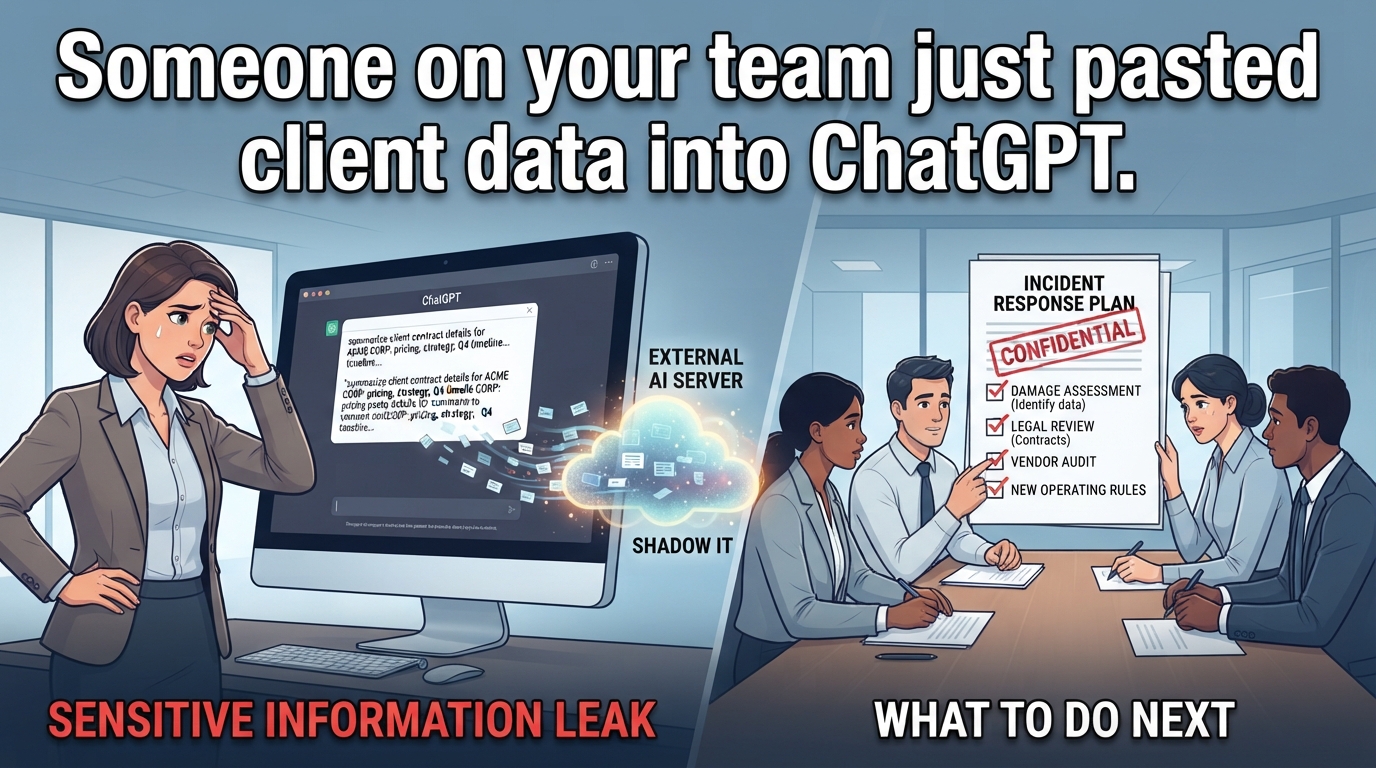
Someone on your team just pasted client data into ChatGPT
Someone on your team just pasted client data into ChatGPT
What to do when sensitive information has already left the building
What is happening
Someone on your team put client information, pricing details, or proprietary business content into an AI tool. You found out after it happened. Now you're trying to figure out what was exposed, where it went, and whether you have a legal problem, a client relationship problem, or both.
The most common scenario: an employee used ChatGPT, Claude, or a similar tool to draft marketing copy, refine a proposal, or summarize meeting notes. They pasted in real project details because the AI produces better output with specific context. The tool worked exactly as intended. The employee saved time and delivered a better result. And in the process, information that should have stayed internal is now sitting on a vendor's server under terms of service you've never read.
This isn't a rogue employee problem. This is a visibility problem. Your team is using tools that solve real problems, and you haven't given them clear boundaries about what information can and cannot be shared with external systems. Shadow AI discovery is the process of identifying every AI tool your workforce uses, sanctioned or not, and most small businesses have no discovery process in place. You're finding out about AI tool usage the same way you're finding out now: when something goes wrong or someone mentions it in passing.
The exposure has already happened. Your next moves determine whether this becomes a contained incident with new operating rules or an ongoing risk that eventually damages a client relationship or triggers a regulatory issue. The first 72 hours matter because that's when you can still assess the damage, understand the vendor's data handling, and decide whether you need to notify anyone.
Why employees are using the tools
Your employees are using AI tools because the alternative is spending hours staring at blank pages or rewriting the same proposal sections for the tenth time this month. Content creation is slow, repetitive work that pulls people away from client service, sales conversations, and actual delivery.
The workflow problem is real. Someone needs to write the weekly email newsletter, draft social media posts, respond to routine client questions, or customize proposal language for the next prospect. This work takes time and it creates a bottleneck when you have more important work waiting. This is taking time than the task deserves.
AI tools solve this specific problem effectively. An employee can draft a client email in two minutes instead of twenty, generate three social post variations instead of struggling with one, or customize a proposal section in the time it used to take to find the right template. The tools are fast, they're free or cheap, and they work well enough that people keep using them.
The productivity gain is why employees adopt these tools without asking permission. They're not trying to circumvent policy or take shortcuts on quality. They're trying to clear routine content work so they can focus on tasks that actually require their expertise. The problem is that this reasonable workflow optimization creates data exposure you didn't know about and can't currently control.
What information may be at risk
The information at risk falls into four categories, each with different consequences if exposed:
Client confidential information (contract terms, pricing details, strategic plans, unpublished product information).
Proprietary business information (your pricing models, competitive analysis, internal processes, strategic plans).
Personal information (employee details, client contact information, any data subject to privacy regulations),
Legally privileged material (attorney communications, litigation strategy, regulatory compliance discussions).
The exposure mechanism depends on which AI tool your employee used and how they configured it. Free consumer AI tools typically retain conversation history and may use input data to improve their models, though policies vary by provider and change frequently. When an employee pastes client information into a chat interface, that data enters the vendor's systems. The vendor's data retention policy determines how long the information stays in their systems and whether it gets used for model training.
What actually happens to the data after that point is difficult to verify from the outside. Vendors publish data processing policies, but you can't audit their systems to confirm compliance. If the vendor experiences a security breach, changes ownership, or modifies their terms of service, your data exposure changes in ways you may not discover until after the fact. The risk isn't theoretical, you have now lost control of information you're contractually or legally obligated to protect, and you can't verify what the vendor does with it.
The practical consequence is that you may have already violated client confidentiality agreements, exposed information that competitors would value, or created discoverable evidence of privileged communications. The severity depends on what specific information was pasted into which tools, which is why damage assessment is your first management step.
Where management lacks visibility
You lack visibility in three areas:
Which tools employees are using
What information they're entering
Whether current usage violates any contractual or regulatory obligations. These gaps are normal for small businesses, but they're also fixable without enterprise security infrastructure.
Tool usage is invisible because employees install and use AI tools without IT approval or procurement involvement. Shadow IT discovery typically starts with network traffic analysis or identity provider logs, but most small businesses don't have those systems in place. You find out about tool usage when someone mentions it, when you see it in a browser tab, or when something goes wrong. There's no systematic way to know what's being used.
Information sensitivity is invisible because you haven't established a classification system that employees can apply in real time. Most people can't reliably distinguish between public-safe content and information that requires confidentiality protections. They make judgment calls based on intuition, and those calls are often wrong. Without clear categories and examples, employees will continue to make reasonable-sounding decisions that create exposure.
Contractual and regulatory obligations are invisible because most small business owners haven't inventoried their commitments. You may have signed non disclosure agreements (NDAs) with clients, agreed to confidentiality provisions in service agreements, or accepted terms that restrict how you process client data. Unless you've recently reviewed these agreements with an eye toward AI tool usage, you probably don't know whether current practices violate existing obligations. Client policies add another layer: some clients explicitly prohibit AI processing of their data, and you won't know unless you ask.
The visibility gap isn't a technology problem. It's a documentation and communication problem. You need a list of tools being used, a classification system for information sensitivity, and a review of contractual obligations. All three can be done with spreadsheets and calendar reminders.
Minimum operating rules
The minimum operating rules are a two-tier system, mandatory enterprise accounts for any AI use, written approval for each use case, and immediate reporting of any sensitive data exposure.
The two-tier system divides content into public-safe and review-required categories. Public-safe content contains no client names, no proprietary information, no confidential details, and nothing that would cause damage if it appeared in a competitor's hands or in legal discovery. This includes general blog posts, social media content about your own publicly available services, and routine marketing materials that contain no client-specific information. Employees can use AI tools for public-safe content without additional review. Everything else requires human review both before AI assistance (to verify no sensitive information will be pasted into the tool) and after AI generation (to verify output quality and check for any problematic content).
Enterprise AI accounts are required for any business use because they typically include data processing agreements that prohibit using your input data for model training. This doesn't eliminate all risk but it removes the training data exposure that free consumer accounts create. The risk often includes more time than the task deserves. However, you need written confirmation of these terms directly from the vendor, not just reliance on marketing materials. Vendor policies change, and what's true today may not be true after an acquisition or terms update.
The written approval requirement means employees must document which AI tools they're using for which specific tasks, and management must explicitly approve each use case. This creates visibility into what's happening and forces a deliberate decision about each type of AI use rather than allowing ad hoc adoption. The approval should include verification that the specific use case doesn't violate client contracts. This requires actually reading those contracts to check for AI restrictions.
Immediate reporting means any employee who realizes they've pasted sensitive information into an AI tool must report it to management the same day, with details about what information was exposed and which tool was used. This allows you to assess damage and take any required notification steps before the exposure gets worse.
Approved-use examples
Employees need examples, not principles. Here are six scenarios that cover the most common content creation tasks in small business marketing. Use these as a starting template and adjust based on your specific client agreements and industry requirements.
Approved: drafting social media posts about general industry trends, company culture, or public-facing services. Example: "We're looking for a marketing coordinator. Here's what makes our team different." This content contains no client information, no proprietary methods, and no confidential details. AI tools can draft, refine, and optimize this content without restriction.
Approved: creating email templates for common business communications like meeting confirmations, project kickoff messages, or general inquiries. Example: "Thanks for your interest in our services. Here's what happens next." These templates become more useful when they're well-written, and AI tools excel at this kind of structured communication. Just confirm the template doesn't include client-specific details before saving it for reuse.
Approved with conditions: summarizing published research, public data, or industry reports for internal use or client presentations. The condition: confirm the source material is publicly available and doesn't contain information you received under confidentiality restrictions. If you're summarizing a client's internal report, that's tier two content and requires human review.
Prohibited: drafting proposals, statements of work, or project documentation that includes client names, specific business challenges, pricing, deliverables, or timelines. Example: "Acme Corp needs help with their Q4 launch strategy. Here's our approach and pricing." This is tier two content. You can use AI tools to draft generic proposal sections (your company background, general methodology), but anything client-specific requires human-only creation or human review before and after AI assistance.
Prohibited: creating content that references specific client projects, case studies, or results without explicit client permission and confirmation that AI processing is allowed. Even if the client has given you permission to publish a case study, that doesn't automatically mean they've consented to AI processing of their information. Ask separately.
Prohibited: using AI tools to analyze, summarize, or refine any information you received under an NDA, confidentiality agreement, or regulatory protection requirement. This includes client strategy documents, financial data, customer lists, proprietary research, and competitive intelligence shared in confidence. The risk of contract breach or regulatory violation is too high, and the efficiency gain doesn't justify the exposure.
Review and escalation requirements
Human review serves two purposes: catching errors before they reach clients, and confirming that sensitive information hasn't been exposed through AI tool usage. You need both, and they require different review processes.
For tier one content (public-safe, no client details), the review requirement is standard editorial review. One person drafts with AI assistance, a second person reviews for accuracy and tone before publication. This is the same review process you'd use for human-created content. The AI tool doesn't change the requirement; it just changes how the first draft is created.
For tier two content (anything involving clients, pricing, strategy, or confidential information), you need two review steps. First review happens before AI tool input: a second person confirms that the information being entered doesn't violate confidentiality obligations and that using an AI tool for this task is appropriate. Second review happens before publication or client delivery: a second person confirms the output is accurate, doesn't contain hallucinated details, and hasn't introduced new confidentiality risks through unexpected connections or inferences the AI made.
The reviewer for tier two content should be someone who understands the client relationship and the contractual obligations. For most small businesses, that's the account manager, the business owner, or a senior team member who was involved in the original client agreement. The review doesn't need to be time-consuming, but it does need to be documented. A simple log works: date, content piece, reviewer name, AI tool used, confirmation that no confidentiality issues were identified.
Escalation is required in four situations.
First: if you discover that sensitive information was entered into an AI tool and you're unsure whether it violates a client agreement or regulatory requirement. Escalate to your attorney or to whoever negotiated the client contract.
Second: if a client asks whether AI tools were used in their project and you're unsure how to answer or whether the answer creates a contract issue. Escalate to your attorney before responding.
Third: if an employee repeatedly uses AI tools in ways that violate the operating rules after being reminded of the boundaries. Escalate to management for a personnel conversation.
Fourth: if you discover that the AI tool vendor's data handling practices have changed in ways that increase exposure risk. Escalate to whoever is accountable for AI oversight to reassess approved tools.
The escalation path needs to be clear and fast. If employees have to wait three days for a decision about whether a use case is permitted, they'll make their own decisions. Aim for same-day escalation response for routine questions, 48-hour response for complex situations that require legal or client consultation.
Management next steps
Your management sequence is damage assessment, notification decisions, operating rules implementation, and ongoing oversight.
Damage assessment starts with identifying what information was exposed. Interview the employee who used the AI tool to determine exactly what they pasted into which system and when. Get the actual conversation history if the tool provides export functionality. Categorize the exposed information by sensitivity: was it client confidential information, proprietary business data, personal information subject to privacy regulations, or legally privileged material? Then determine your contractual and legal obligations: do you have confidentiality agreements with affected clients that require breach notification? Are you subject to privacy regulations that mandate disclosure? Do you have professional obligations (attorney-client privilege, for example) that require specific handling?
You also need to understand what the vendor actually does with the data, which is harder to verify than it should be. Review the vendor's current terms of service and data processing agreement, but recognize these are vendor claims you cannot independently audit. If the vendor has been breached, acquired by another company, or changed their terms recently, your exposure may be different than the current policy suggests. Consider asking the vendor directly: how long is this specific data retained? What happens to it after retention period ends? What are your breach notification obligations to us? The answers may not be satisfying, but asking creates a record.
Notification decisions depend on your specific obligations. If client contracts require breach notification for confidentiality violations, you likely need to disclose. If privacy regulations apply, you may have mandatory reporting requirements. If the exposed information was legally privileged, you may need to notify opposing counsel or the court depending on jurisdiction and circumstances. Consult with legal counsel before making these notifications—the disclosure itself can create additional liability if handled incorrectly. But don't delay notification beyond what's legally allowed while you figure out the perfect communication approach.
Operating rules implementation means establishing the two-tier system, migrating to enterprise accounts, documenting approved use cases, and training employees on the new requirements. Budget 10 to 15 hours of management time for this initial setup. The rules need to be specific enough that employees know exactly what's allowed and what requires review, but simple enough that people will actually follow them rather than route around bureaucracy.
Ongoing oversight includes monthly spot checks of AI tool usage, quarterly review of approved use cases to verify they still make sense, and immediate investigation of any reported exposures. This is not a one-time implementation—it's a permanent management responsibility as long as your team uses these tools. If you don't have capacity for ongoing oversight, you don't have capacity for controlled AI use, and you should revert to human-only processes for any work involving sensitive information.