Streamlining Your Communication: Systems First, AI Second
Streamlining Your Communication: Systems First, AI Second
Introduction
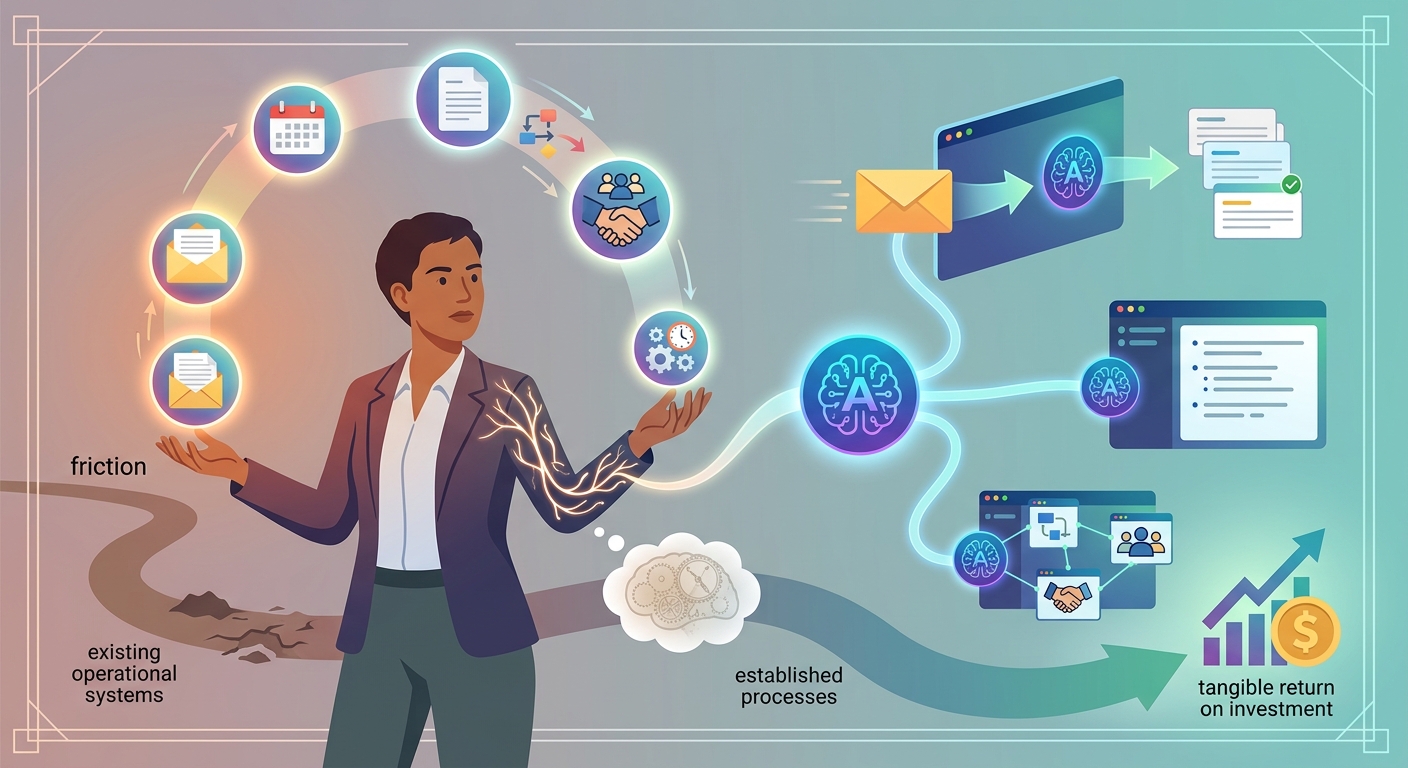
As small business owners, solopreneurs, and operations managers, you're constantly juggling. The sheer volume of emails, the endless meetings, and the challenge of keeping everyone on the same page can feel like a relentless tide. You've developed patterns, often out of necessity, that have become deeply ingrained – a certain way of drafting an email, a specific approach to meeting notes, a familiar rhythm to team collaboration. These established patterns, while efficient in their own way, can make adopting new technologies, like AI, feel like an uphill battle.
It's completely normal to find yourself falling back into old habits, even when you know there's a better way. Our brains are wired for efficiency, and breaking those deeply practiced pathways takes conscious effort and a systematic approach. My goal, drawing from years of practical experience in helping businesses like yours navigate technology, isn't to just throw AI tools at you. It's to help you understand how to thoughtfully integrate them into your existing operational systems, ensuring they genuinely reduce friction and deliver a tangible return on investment, not just add another layer of complexity. Let's explore how AI can genuinely simplify your communication landscape, but always with your well-established processes as the starting point.
Readiness Check
Which best describes your current approach to communication processes (emails, meetings, internal collaboration)?
Option A: We mostly 'wing it' or rely on individual habits. Processes are undocumented.
Option B: We have some informal processes, but they're not fully documented or consistently followed. We're open to exploring new tools.
Option C: Our communication processes are well-documented, and we're actively looking for ways to automate parts of them efficiently.
Solutions by Implementation Level
1. AI-Powered Email Drafting Assistant: Beyond the Blank Page
Level: AI Literacy
Emails consume a significant portion of our day. An AI email assistant isn't about letting AI write every email for you, but about overcoming writer's block, refining tone, and quickly generating drafts from your key points. This frees up mental energy and ensures consistent, professional communication. The system here is your existing email workflow – how you typically structure messages, what information you need to convey, and your brand's voice. The AI simply helps you execute that system faster.
Implementation Details:
Timeline: 1-2 hours (initial setup + learning prompts)
Cost: Free to $20/month (for premium features) + 1 hour/week for practice
ROI: Saves 30 minutes/day on drafting, editing, and subject lines for 5 emails. At $50/hour, this is ~10 hours/month = $500/month savings (25x ROI on paid tools).
Failure Rate: 10% if users don't learn prompt engineering; 5% if they expect AI to write perfect emails without human oversight.
Action Steps:
Document Your Core Email Types: Before touching AI, identify your 3-5 most common email types (e.g., client follow-up, internal update, sales inquiry response). What are the key points and desired tone for each?
Choose and Experiment with a Tool: Start with a free tier. I recommend trying Claude (by Anthropic) first for its conversational nuance. For dedicated email tools, explore Grammarly's AI Email Writer or QuillBot. Test them with your documented email types.
Develop Specific Prompts: Based on your documented email types, create reusable prompts. Example: 'Draft a polite follow-up email to [Client Name] regarding [Project X]. Key points: [Status Update 1], [Action Item for Client], [Next Steps]. Ensure a helpful, proactive tone.'
Review and Refine: Never send an AI-generated email without a thorough human review. AI is a co-pilot, not an autopilot. Edit for accuracy, tone, and your unique voice.
Recommended Tools:
Claude by Anthropic - Free (basic) / $20-30/month (Pro)
Grammarly AI Email Writer - Free (basic) / $12-30/month (Premium/Business)
QuillBot AI Email Writer - Free (basic) / $4-8/month (Premium)
WriteMail.ai - Free
Protective Warning: The biggest pitfall is blindly trusting AI. AI can hallucinate, misunderstand context, or generate generic responses. Always review, edit, and personalize. If your underlying communication process isn't clear, AI will just automate confusion. Don't automate a bad process.
2. AI Meeting Assistants: Reclaiming Your Focus and Follow-Through
Level: AI Literacy
Meetings often suffer from poor note-taking and inconsistent follow-up. AI meeting assistants transcribe conversations and generate summaries, action items, and key decisions. This isn't about replacing human interaction; it's about optimizing the 'after-meeting' process. By having reliable, automatically generated notes, your team can focus on the discussion during the meeting, and act decisively after it, ensuring accountability and progress within your project management system.
Implementation Details:
Timeline: 2-4 hours (tool selection, integration with calendar/meeting platform, team training)
Cost: Free to $30/month per user (e.g., Otter.ai, Tactiq, Read AI)
ROI: Saves 1-2 hours/week in manual note-taking and summary writing per person. For a 5-person team, that's 5-10 hours/week = $250-$500/week (or $1000-$2000/month) at $50/hour. Plus, improved follow-through prevents costly rework. (10x+ ROI).
Failure Rate: 15% if privacy concerns aren't addressed; 10% if summaries aren't reviewed for accuracy or if action items aren't integrated into a project management system.
Action Steps:
Define Your Meeting Objectives & Structure: Before AI, clarify what a 'successful' meeting looks like. What information needs to be captured? What action items are critical? How do you currently share notes?
Pilot a Meeting Assistant: Choose one tool (e.g., Otter.ai, Tactiq) and test it in a few internal meetings. Ensure it integrates with your existing video conferencing (Zoom, Google Meet, Teams).
Establish a Review & Distribution Process: Decide who reviews the AI-generated summary for accuracy and completeness. How will these summaries and action items be distributed (e.g., shared in a specific Slack channel, added to Notion, emailed)?
Train Your Team: Explain the 'why' behind using the tool (focus during meetings, better follow-ups). Address privacy concerns and best practices for speaking clearly for transcription.
Recommended Tools:
Otter.ai - Free (30 min/month) / $10-30/month (Pro/Business)
Tactiq - Free (limited) / $10-20/month
Read AI - Free (limited) / $10-20/month
Notion AI Meeting Notes - $10/month (for Notion AI add-on)
Protective Warning: Ensure all participants are aware an AI is present for transcription, especially for external meetings, due to privacy and consent. AI summaries are good starting points, but may miss nuance or misinterpret specific jargon. Human review is non-negotiable. Don't let the tool replace active listening or critical thinking during meetings.
3. Automated Follow-Up Workflows: Connecting Meetings to Action
Level: Integration
This is where AI moves beyond simple assistance to tangible workflow improvement. Instead of manually copying action items from a meeting summary into your project management tool or CRM, we can automate that transfer. The system here is the crucial link between your communication (meetings) and your execution (tasks, client outreach). By integrating an AI meeting assistant with your task management or CRM, you close the loop, ensuring that decisions made in a meeting translate directly into actionable steps without manual intervention.
Implementation Details:
Timeline: 8-16 hours (process mapping, integration setup, testing)
Cost: $20-50/month (for Zapier/Make) + existing meeting assistant & PM/CRM tool costs
ROI: Saves 2-4 hours/week per team member on post-meeting administrative tasks and reduces missed follow-ups. For a 5-person team, that's 10-20 hours/week = $500-$1000/week (or $2000-$4000/month) at $50/hour. Drastically improves task completion rates and client satisfaction. (20x+ ROI).
Failure Rate: 30% if processes aren't clearly defined before automation; 20% if integration mapping is incorrect; 15% if no one monitors the automated workflow for errors.
Action Steps:
Document Your Current Follow-Up Process: How do action items currently get assigned, tracked, and followed up on after a meeting? Map every step. Identify bottlenecks.
Standardize Action Item Capture: Work with your team to use consistent language for action items during meetings, which helps the AI identify them more accurately. For instance, always start with 'ACTION: [Person] to [Task] by [Date]'.
Select Integration Tools: You'll need an AI meeting assistant (e.g., Otter.ai, Tactiq) and an integration platform like Zapier or Make.com. Your project management tool (Asana, Trello, ClickUp) or CRM (HubSpot, Salesforce) will be the destination.
Build and Test the Automation: Create 'Zaps' or 'Scenarios' that trigger when a meeting summary is generated. For example, if an action item contains 'ACTION:', extract it and create a task in Asana assigned to the relevant person. Test thoroughly with various scenarios.
Monitor and Refine: Regularly check the automated flow for errors or missed items. Gather feedback from the team and iterate on the process and automation rules.
Recommended Tools:
Zapier - $20-50/month (Starter/Professional)
Make.com (formerly Integromat) - $9-29/month (Core/Pro)
Otter.ai (with Zapier integration) - As above
Tactiq (with Zapier integration) - As above
Protective Warning: Automating a broken process only amplifies the brokenness. Ensure your manual follow-up process is robust and understood before attempting automation. Poorly defined action items will lead to garbage-in, garbage-out. This requires diligence in the initial setup and ongoing monitoring. Don't set it and forget it.
4. Custom AI Agent for Internal Knowledge & Communication Retrieval
Level: Advanced
At this level, we're talking about deploying a specialized AI that can intelligently interact with your internal knowledge base (SOPs, project documents, client histories) to answer team questions or even draft complex internal communications. This isn't just about an assistant; it's about building a 'digital expert' trained on your company's specific information. This requires a mature, well-organized internal documentation system and a clear understanding of the 'system' of information flow within your organization.
Implementation Details:
Timeline: 3-6 months (data preparation, agent training, deployment, iteration)
Cost: $5,000 - $25,000+ (for platform, development, and ongoing maintenance, or a custom build)
ROI: Reduces time spent searching for information by 10-20 hours/month per employee, especially for new hires or complex projects. Improves decision-making speed and consistency. For a 20-person team, this could be 200-400 hours/month = $10,000-$20,000/month savings at $50/hour. (3x+ ROI over 1 year).
Failure Rate: 40% if internal knowledge base is disorganized or incomplete; 30% if user adoption isn't managed; 20% if the agent isn't regularly updated with new information.
Action Steps:
Audit and Structure Your Knowledge Base: This is the most critical step. Every piece of information must be accurate, up-to-date, and consistently organized (e.g., in Notion, Confluence, SharePoint). You cannot build an intelligent agent on messy data.
Define Use Cases: What specific types of questions or communication tasks will this agent handle? (e.g., 'What's our policy on X?', 'Draft an internal announcement about Y project update').
Select an AI Platform/Partner: Consider platforms that allow fine-tuning LLMs on your data (e.g., Google Cloud AI, AWS Bedrock, or specialized AI agent builders). For small businesses, this might mean a no-code platform that connects to your documents or engaging a consultant.
Train and Test Iteratively: Feed the AI your structured data. Test its responses rigorously. Start with internal pilots before wider deployment. Refine its 'persona' and accuracy.
Establish Governance: Who updates the knowledge base? Who monitors the agent's performance? How are errors corrected? This is an ongoing system, not a one-time project.
Recommended Tools:
Claude by Anthropic (with API access for custom applications) - Usage-based, varies widely
Notion (as a structured knowledge base) - $8-15/month per user
Custom AI Development (consultant/developer) - Project-based, $5,000 - $25,000+
Protective Warning: This is a significant investment and requires a high level of organizational discipline. If your internal documentation is a mess, this will be an expensive failure. Data privacy and security are paramount. Ensure the platform or custom solution meets your compliance needs. User adoption is key – if the team doesn't trust or understand the agent, it won't be used.
Real-World Example
Type: success
Business: A small marketing agency (15 employees)
Situation: Their creative team spent excessive time drafting client update emails and internal project summaries. Meetings often ran over due to poor note-taking, and action items were frequently missed, leading to project delays and client frustration.
Approach: First, they standardized their meeting agendas and defined clear templates for client update emails. Then, they adopted Otter.ai for all internal and client-facing meetings, setting a rule that all action items must be clearly stated. They then used Zapier to connect Otter.ai's summaries to their project management tool (ClickUp), automatically creating tasks for assigned individuals. For client update emails, they used Claude to draft initial versions based on project status reports, which were then reviewed and personalized.
Result: Email drafting time was reduced by 40%, saving an average of 15 hours per week across the team. Meeting durations decreased by 15%, and the rate of completed action items increased by 25% within three months. This led to fewer project delays, improved client communication, and a more focused team. The estimated ROI was over 5x within the first six months.
Lesson: The success wasn't just about the tools; it was about first defining and refining the underlying communication processes (meeting agendas, email templates, action item formats) and then using AI to automate and accelerate those improved systems.
Systems Thinking Insight
The most common mistake I've observed in technology adoption, especially with enticing new tools like AI, is jumping straight to the solution without understanding the problem within your existing system. Imagine trying to automate a convoluted, inefficient assembly line. All you'd achieve is a faster, more consistent way to produce a flawed product. Your communication processes – how emails are written, how meetings are run, how information flows – are your assembly line.
These processes, good or bad, become deeply ingrained through repetition. It’s not a failing to revert to old habits when trying something new; it's a natural human tendency. The real work is in consciously identifying those patterns, documenting them, and then intentionally designing a better system. Only then can technology, like AI, truly amplify efficiency. Documentation isn't just busywork; it's the blueprint that allows you to see the current state, identify friction points, and then strategically introduce automation that solves real problems, rather than just adding complexity to an already messy system.
Quick Wins
1. Draft a 'Communication Charter'
Create a simple document outlining your team's expectations for email response times, meeting etiquette (e.g., no phones, clear agendas), and preferred channels for different types of communication (e.g., Slack for quick questions, email for formal updates).
Time: 1-2 hours (drafting and team discussion)
Cost: Free
Impact: Reduces communication friction, sets clear boundaries, and fosters a more focused environment. Improves clarity and reduces unnecessary interruptions.
2. Use Claude for Email Tone Checks
Before sending a crucial email, paste your draft into Claude and ask: 'Review this email for tone. Is it professional, clear, and empathetic? Suggest improvements if needed.' This helps refine your message without a full rewrite.
Time: 5-10 minutes per email
Cost: Free (Claude basic tier)
Impact: Prevents miscommunication, improves client/team relations, and boosts confidence in your outgoing messages. Reduces the 'senders' remorse' feeling.
3. Pilot an AI Meeting Notetaker for One Week
Choose one internal recurring meeting and consistently use a free tier of Otter.ai or Tactiq. Designate one person to review the summary and share key action items. Focus on observing how it changes meeting dynamics and follow-up efficiency.
Time: 1-2 hours (initial setup) + 30 minutes/meeting (review)
Cost: Free (basic tiers)
Impact: Provides objective meeting records, ensures action items aren't forgotten, and allows participants to be more present during discussions. Identifies potential areas for further automation.
Resource of the Day
Claude by Anthropic (Tool)
Claude is my go-to recommendation for general AI assistance. Its conversational abilities, longer context window, and robust performance make it excellent for drafting emails, summarizing documents, brainstorming ideas, and refining communication. For coding-specific tasks, check out Claude Code.
Cost: Free (basic access) / $20-30/month (Pro)
Link: Access Resource