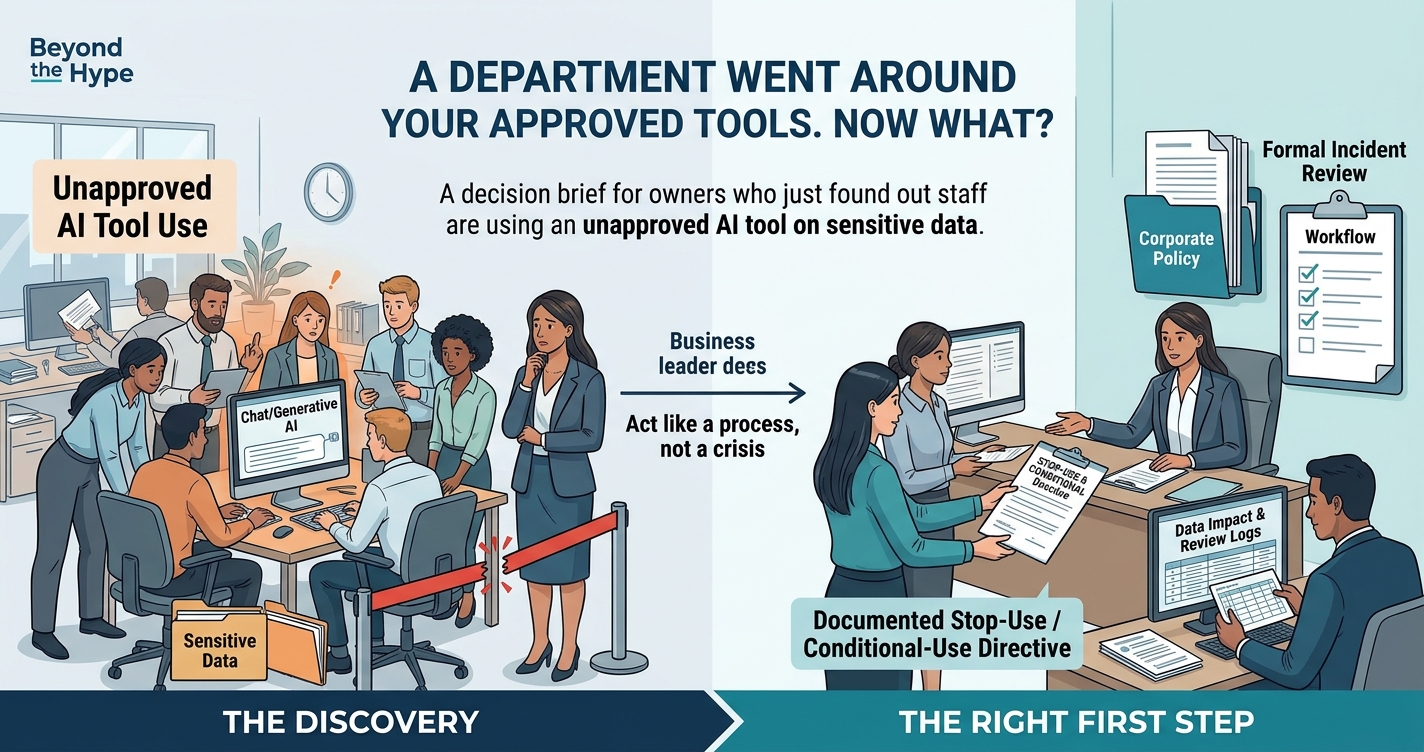
A department went around your approved tools. Now what?
A department went around your approved tools. Now what?
A decision brief for owners who just found out staff are using an unapproved AI tool on sensitive data.
A department using an unapproved AI tool is not primarily a technology problem. It's a control failure that may already involve exposed client data, broken contract terms, or regulatory violations. The right first move is a documented stop-use or conditional-use directive, not a full investigation, and not a shrug.
Decision: conditional proceed (confidence: 70%)
You don't have enough facts yet to know if this is a minor policy lapse or a reportable incident. Acting like it's neither (ignoring it) or acting like it's definitely the worst case (panicked public disclosure) are both wrong moves at this stage. A conditional-use directive buys time to find out what data was involved without destroying evidence or triggering a bigger disruption.
The decision in front of the owner
You just found out a department is using an AI tool nobody approved. Maybe it's a chatbot summarizing client files, maybe it's a transcription tool recording calls, maybe it's something an employee found that just works better than what IT gave them. Whatever it is, you now have three options in front of you: stop it today, let it keep running while you look into it, or quietly let it continue because shutting it down would disrupt work. Only one of those is defensible if a regulator or client lawyer asks you about it in six months.
This isn't really a decision about whether the tool is good. It's a decision about control. You don't know yet what data went into it, whether the vendor retains or trains on that data, or whether a client contract already prohibits exactly this kind of third-party processing. Acting before you know those things, in either direction, is how small businesses turn a policy problem into a legal one.
The practical question is narrower than it feels right now: what's the smallest, safest action you can take in the next 24 to 48 hours that doesn't destroy evidence, doesn't tip into panic, and doesn't let the exposure keep growing while you think about it. That's what this brief is built around.
Why it looks attractive
Departments don't go around approved tools to cause problems. They do it because the approved workflow is slower, clunkier, or doesn't cover a real gap in what they need to get done. The new tool solved a genuine problem, and once staff see time saved, it's hard to argue they should go back to the slower way without a real alternative in hand.
This is a common and predictable pattern, not a one-off lapse in judgment. If the approved-tools process doesn't have a fast path for requesting new software, people will find workarounds quietly rather than wait weeks for an answer. That's a process failure as much as a compliance one, and it's worth treating it that way rather than only as individual rule-breaking.
What is commonly overlooked
The thing owners miss most often: this is rarely an isolated incident. If one department found a workaround, there's a decent chance another one did too, just not surfaced yet. Treat this discovery as a sample, not the whole picture, and check other departments before you close the loop on this one.
The second blind spot is evidence handling. The instinct when you find an unapproved tool is to shut it off immediately. Don't, not before you preserve logs and access records. If this becomes a client dispute or regulatory question later, you'll need to show what happened and when, and you can't show that if you deleted the account in a panic. A documented breach response approach, even if this turns out not to be a breach, means assigning someone to own containment, someone to own evidence, someone to own legal review, and someone to own staff communication, separately, from the first day (as outlined in general data breach response guidance for small businesses).
Third, owners tend to underweight vendor claims about data handling. A vendor saying data isn't used for training or isn't retained means very little without a signed agreement that says so, and without a way to verify it. AI acceptable use policy guidance points out that policies which prohibit 'unauthorized AI use' without defining what authorization actually requires tend to be ignored, because nobody knows where the line is. If you don't already have a written approved-tools list with a clear exception process, this incident is also exposing a gap in the policy itself, not just a one-off violation of it.
What must be true for it to work
If you're going to allow any continued, controlled use of this tool while you investigate, instead of a hard stop, a few things need to be true first. You need to know, at minimum, what categories of data have gone into the tool: client names, financial details, health information, employee records, anything covered by confidentiality clauses. Without that, you can't assess exposure, and you definitely can't tell a client or regulator anything accurate if asked.
You also need someone with actual authority running this, not a committee. One accountable person, ideally with legal or compliance background, who can make the call on stop versus conditional-use versus full shutdown within a day or two, not a month. If you don't have in-house legal capacity, this is a reasonable moment to get a short consult, the kind of situation general legal guidance on data and privacy disputes describes as worth a conversation before anything becomes a formal complaint, even if it feels early.
Finally, the department needs clear instructions they'll actually follow, communicated by their direct manager, not a mass email from compliance that reads like a threat. If people think the message is "stop working," they'll find another workaround instead of complying. The message has to be specific: stop entering client data into this tool as of today, here's what to use instead, here's who to ask if a task genuinely can't be done any other way right now.
Hidden costs and operational requirements
Stopping use immediately costs the department productivity right away — that's visible and easy to resent. The less visible cost is what happens if you don't stop and the exposure turns out to be real: client notification obligations, contract remediation, and possibly regulatory reporting, all of which take far more time and money than the short-term slowdown of reverting to the approved process.
There's also a scope cost that's easy to underestimate: figuring out exactly what data went through the tool, over what period, and whether it was shared with other departments. This requires pulling logs and account history, which takes real staff time regardless of which direction you go. Budget for that work explicitly rather than assuming it happens for free alongside everything else.
Risks and failure conditions
The clearest failure mode is acting too slowly on the parts that are time-sensitive — specifically, letting account settings or integrations change before logs and access records are captured. Once that history is altered or lost, you can no longer answer basic questions about what was exposed, which weakens your position with clients, regulators, and your own insurer if a claim is needed later.
A second failure mode is treating this as isolated to one department. If one team found a workaround because the approved process was too slow, it's reasonable to check whether others did the same, rather than assuming this was a one-time lapse. A third failure mode is skipping legal or compliance input on the public or client-facing response — saying too much or too little before you know the facts can create liability independent of the original tool misuse.
Non-AI alternatives
The most straightforward alternative is reverting the department to whatever they used before the bypass, even if it's slower. This isn't glamorous, but it's immediate, costs nothing to implement, and removes the compliance question entirely while you investigate. If the previous process was manual data entry or a different approved tool, going back temporarily is often the cleanest path, and it's the one that requires zero legal sign-off to execute today.
For genuinely sensitive tasks, a short-term paper-based or fully offline process can work as a stopgap, particularly if the data involved is small in volume or the task is infrequent. It's inconvenient, and nobody enjoys it, but it closes the exposure window completely while you sort out the bigger question of whether any tool should be approved for this use case long term.
Another option: reassign the specific task to a different team or a tool you've already vetted, rather than solving it at the department level. If the unapproved tool was solving a real workflow gap, that gap might already be solved elsewhere in the business with a tool that has proper data terms in place. Finally, if the department's need is legitimate and strong, consider negotiating a short-term, legally reviewed exception rather than either banning the tool outright or letting it run unmanaged. That's a middle path, not a default, and it only works if legal review happens before the exception, not after.
Measurement requirements
Track two different timelines. The first is the immediate response: time from discovery to a documented stop-use or conditional-use directive, and whether logs were preserved before any account changes were made (see Hidden Costs and Risks sections for why this matters). The second is the longer recovery window: whether the exception-request process actually gets used by departments going forward instead of bypassed again, and how many data categories remain unknown versus confirmed after investigation.
Review both timelines on a schedule, not just once. Checking at 2 weeks tells you whether containment worked; checking again at 3 to 6 months tells you whether the underlying process problem was actually fixed or just patched over.
Recommended decision
Conditional proceed, not a blanket shutdown and not quiet continuation. Issue a documented stop-use directive for anything involving client or sensitive personal data immediately. If there's a narrow, low-risk use case the department genuinely needs covered in the meantime, allow a tightly scoped, monitored exception while you investigate, but only with a named accountable owner and a short time limit, not an open-ended pass.
This isn't a comfortable middle ground chosen to avoid taking a side. It's the position that matches what you actually know right now: you don't have enough information to say this is definitely fine, and you don't have enough information to say it's definitely catastrophic either. The directive buys you the time to find out, without letting exposure keep growing or destroying the evidence you'd need if it turns out to matter.
Here's the part nobody wants to do first: document the process you're following right now, today, even in rough form. That document is what shows good faith later, whether to a client, a regulator, or your own insurance carrier.
Practical next step
Within the next 24 hours, preserve all logs and access history for the unapproved tool before touching any settings, and issue a short written stop-use or conditional-use notice to the department involved. This costs almost nothing and closes the biggest risk window.
Before paying for formal legal consultation, do a cheap first screening yourself: pull the vendor's public terms of service or data processing agreement, if one exists, and check whether it mentions training on customer data, retention periods, or subprocessor use. If the vendor provides no such terms, or the terms are vague on these points, that alone is enough reason to revert to the approved process for anything touching client or employee data while you arrange a short legal or compliance consult — in person, by phone, or informally through a contact — within the next 48 hours. If you carry cyber insurance, check your policy now for notification deadlines or exclusions tied to unauthorized vendor use, since those windows can be shorter than they seem and may run in parallel with the legal consult.
Alternatives
AI option: Formally approve the tool the department switched to, after legal review of its data handling terms and a signed agreement covering retention, training use, and breach notification obligations.
Traditional automation: Revert to the previously approved workflow or tool, even if it's slower, while you investigate exposure and decide on a longer-term fix.
Process improvement: Build or fix the approved-tools exception-request process so departments have a real, fast path to request new tools instead of bypassing controls quietly.
Software configuration: If your business already has another vetted tool elsewhere that covers the same workflow gap, move the task there instead of waiting on a new review. This only works if such a tool actually exists in your environment — many small businesses don't have a second option sitting idle, in which case this alternative isn't available and you should rely on reverting to the approved process or a temporary manual workaround instead.
Human-led: Use a temporary manual or paper-based process for the specific sensitive task while the investigation runs, accepting a short-term productivity hit in exchange for zero additional exposure.
Recommended: Revert to the previously approved workflow immediately for anything touching sensitive data, and only consider formal approval of the new tool after legal review confirms the data terms are acceptable.
ROI Analysis
Baseline needed: You need a rough baseline of how many records or data categories have already passed through the unapproved tool, and how much time the department saved using it compared to the approved process, before any cost comparison makes sense.
Direct costs: Direct costs include potential regulatory fines. Under CCPA, statutory penalties can run up to $2,500 per violation (or $7,500 for intentional violations), but these are maximums subject to enforcement discretion, not automatic or typical outcomes for a one-off internal tool misuse (per California AG CCPA guidance). GDPR fines are capped by statute at up to €20 million or 4% of global annual turnover, whichever is higher — a very high ceiling, not an uncapped one, but still far above what most SMBs could absorb (per SecurityMetrics). Add legal consultation fees and any contract remediation owed to clients whose data handling clauses were breached.
Implementation costs: If you move toward formal approval of the tool, implementation costs include legal review of vendor terms, any migration work to bring the tool under IT governance, and time spent building logging or access controls around it.
Training costs: Staff will need brief retraining either on the restored approved process or on the new rules for using the formerly unapproved tool, plus a refresher on the exception-request process so this doesn't recur.
Review costs: Expect ongoing cost for legal or compliance review of any output produced during the window when the tool was used without oversight, since you can't trust that data without checking it manually.
Adoption assumptions: Any ROI case assumes the department's reported time savings are real and sustained, not just a honeymoon effect from a new tool, and that formal approval wouldn't meaningfully slow the workflow back down.
Capacity impact: Reverting to the approved process will likely slow the department down in the short term; formally approving the new tool, if legally sound, could restore or improve capacity, but only after the review process completes.
Measurement period: Track exposure scope and containment time over the first 2 weeks, then track exception-process usage and policy adherence over the following 3 to 6 months.
Governance
Approved use: Define explicitly what data categories and tasks are permitted with any AI tool, and require written approval before any new tool touches client or employee data.
Data access: Identify exactly what data the unapproved tool had access to, including anything entered manually, uploaded as files, or connected via integration, before deciding on remediation.
Human review: Every output or record touched by the unapproved tool needs manual review before it's relied on in client work or reporting, until the investigation confirms what the tool actually did with the data.
Escalation: Set a clear path: department staff report tool use to a manager, manager escalates to the named accountable owner, owner engages legal or compliance for anything involving client or regulated data.
Accountability: One named person, owner or compliance lead, owns the response end to end. Don't split this across a committee during the first critical days.